Want to offer free shipping to customers who reach a certain order value? This guide will show you how to do it using Shopify Discounts in combination with the Swotzy parcel locker solution.
What is the Swotzy Parcel Locker Solution?
On the Swotzy platform, this function is called Parcelshop Mapping. When you implement the Swotzy parcel locker solution, customers will automatically see the 5 nearest parcel lockers on your Shopify checkout page, based on the address they enter. Each locker also displays the distance, so customers can choose the most convenient option.
Important to know:
- The range of courier services offered and their prices are your choice in Swotzy settings
- When you save settings in Swotzy, they automatically appear in your Shopify checkout
- They also appear in the Shopify Shipping profiles section
Why do you need to use Shopify Discounts?
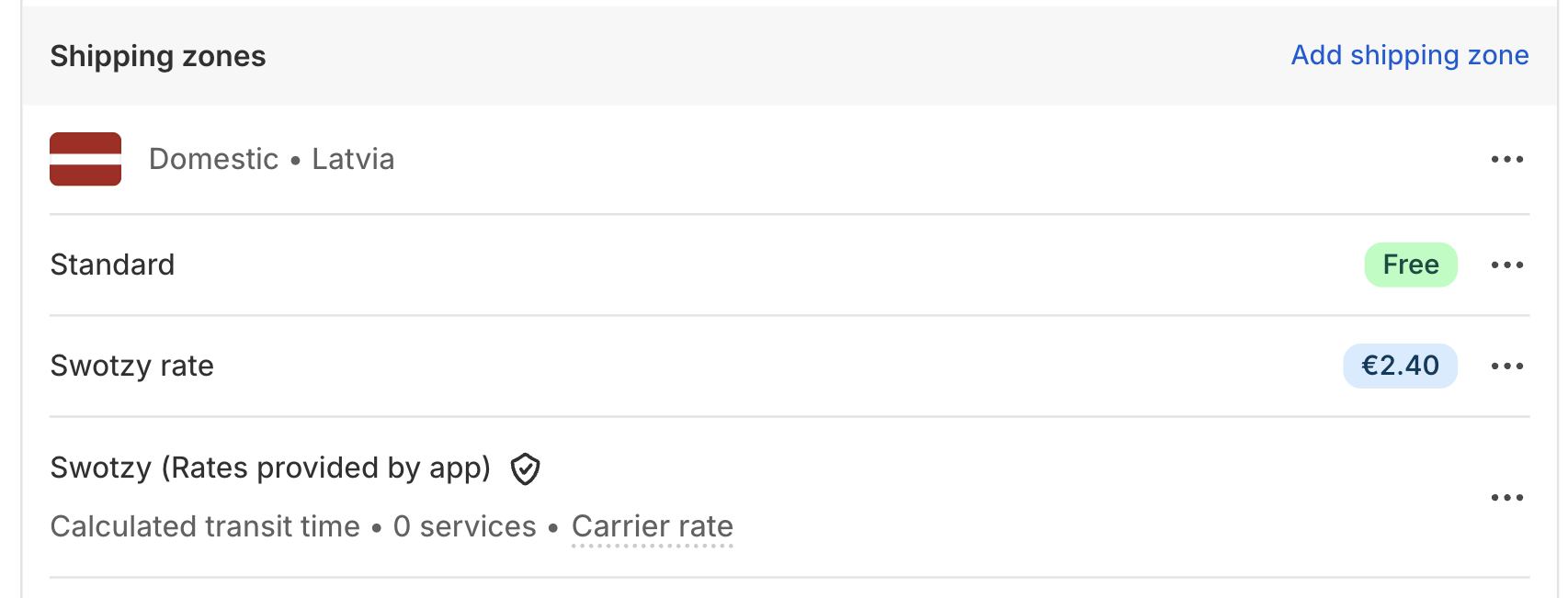
Unlike shipping methods you set up in Shopify settings, Swotzy rates don't support the Conditional Shipping feature – meaning you can't specify from which order value shipping becomes free.
You can use the Shopify Discounts section to create free shipping discounts with specific thresholds.
Ready to start?
1. Create a "Free Shipping" Discount
Open the Discounts section
- In your Shopify admin panel, go to → Discounts
2. In the top right corner, click "Create Discount"
3. Select "Free Shipping"
4. Then choose "Automatic discount", so the discount is automatically applied to all customers who reach the specified order value.
💡 Why Automatic? The discount will be automatically applied to all customers who reach the specified order value, without needing to enter a code.
1.2. Configure discount settings
Shipping rates (Point 1)
Use the "Exclude shipping rates over a certain amount" option to limit which shipping methods this discount applies to.
✅ Advantage: This way you can create multiple free shipping thresholds for different methods (e.g., parcel lockers, couriers, etc.).
Conditions (point 2)
Specify from which order value free shipping is granted.
For example:
- Free shipping from €30.00
Combining with other discounts (Point 3)
If you want free shipping to work together with other discounts, check both checkboxes.
⚠️ Additional Note (Point 4):
When point 3 is checked, text will appear saying "won't combine with any other discount at checkout", which theoretically means the discount won't be combined with other discounts at checkout.
Check this anyway! The text is misleading. On the contrary, customers will receive this discount regardless of whether any product or order discounts are also applied.
2. Set up Shipping Zones
If you already have these parameters set up, you can skip to Step 3.
Shipping zones
- In your Shopify admin panel, select Markets
- In the top right corner, click Create market
- Then add a region name and select all countries that should be included
3. Set up different thresholds for different shipping methods
Shopify allows you to create multiple Free Shipping discount rules to provide different thresholds for each shipping method.
Look in the Countries section.
[→ Discounts → Create discount → Free shipping → Countries]
The main tool is "Exclude shipping rates over a certain amount". This allows you to precisely determine which methods free shipping applies to and combine multiple discounts.
Practical example
For example, in your checkout you have these shipping methods set up:
And you set up 3 separate Free Shipping discounts:
You set up 3 separate free shipping discounts:
- Free Shipping if the order value is at least €30
- "Exclude shipping rates over..." = €2.46
- Result: Omniva parcel locker (€2.45) becomes free
2) Discount for All Parcel Lockers (up to €2.51)
- Free Shipping if order value is at least €50
- "Exclude shipping rates over..." = €2.51
- Result: Both Omniva (€2.45) and DPD (€2.50) become free
3) Discount for all shipping methods
- Free Shipping if order value is at least €100
- No exclusions
- Result: All shipping methods, including courier (€4.99), become free
You can set up as many discount tiers as you want. Give it a try!
✅ Your customers can now shop even better
With the Swotzy parcel locker solution in your Shopify store, you can offer a convenient shipping experience, including nearest parcel locker selection at the checkout.
To grant free shipping from a specific order value, use the Shopify Discounts → Free Shipping feature.
With small adjustments ("Exclude shipping rates over…"), you can set up multiple free shipping thresholds that apply to different shipping methods — both parcel lockers and couriers.
Need help?
Haven't set up the Swotzy parcel locker solution in Shopify yet?
Questions about integration?
Send us a message at support@swotzy.com.
Add comment
Please sign in to leave a comment.